Student Dashboard
Home »
Student Dashboard
WebTESS Student Dashboard allows administrators and counsellors to view relevant student information all on one page.
Having a single screen does not mean the absences of details. Users can drill down to get detailed information for each section.
The Student Dashboard is easy to use and does not require any training. The intuitive design makes it easy to navigate through all the information about a student.
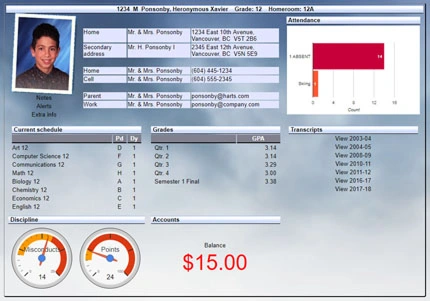
Student Dashboard
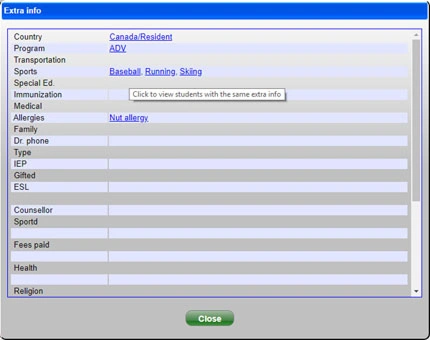
50 Extra Info Fields
Click a particular item to see a list of other students in the same category (e.g. other students on the baseball team).
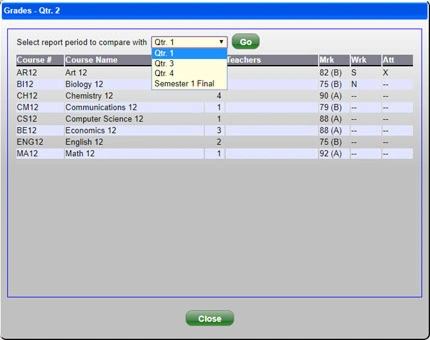
Compare Marks
Compare marks from other terms to see how a student’s grades have changed.
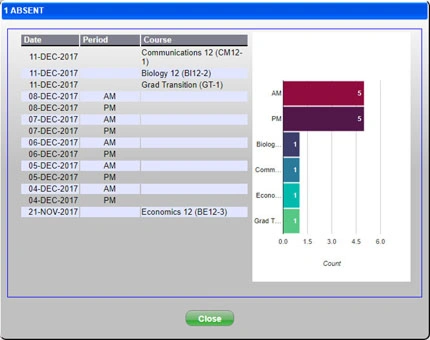
Attendance
Get details about a student’s attendance statuses, including dates, periods of the day and classes.